Solo Dual-Cam, two-camera Nearby, Remix, 720p exports, and recordings up to 10 minutes—no trial needed.
Everything you can do
Four ways to create. Plenty of ways to make it feel like you.
Pick how you want to shoot, then make it yours with layouts, Text & Vibes, camera picks, AI-assisted cuts, and easy sharing. Serious tools. Zero need to act serious.
Meet the four modes
Which mode fits the moment?
01↗
You + what you see
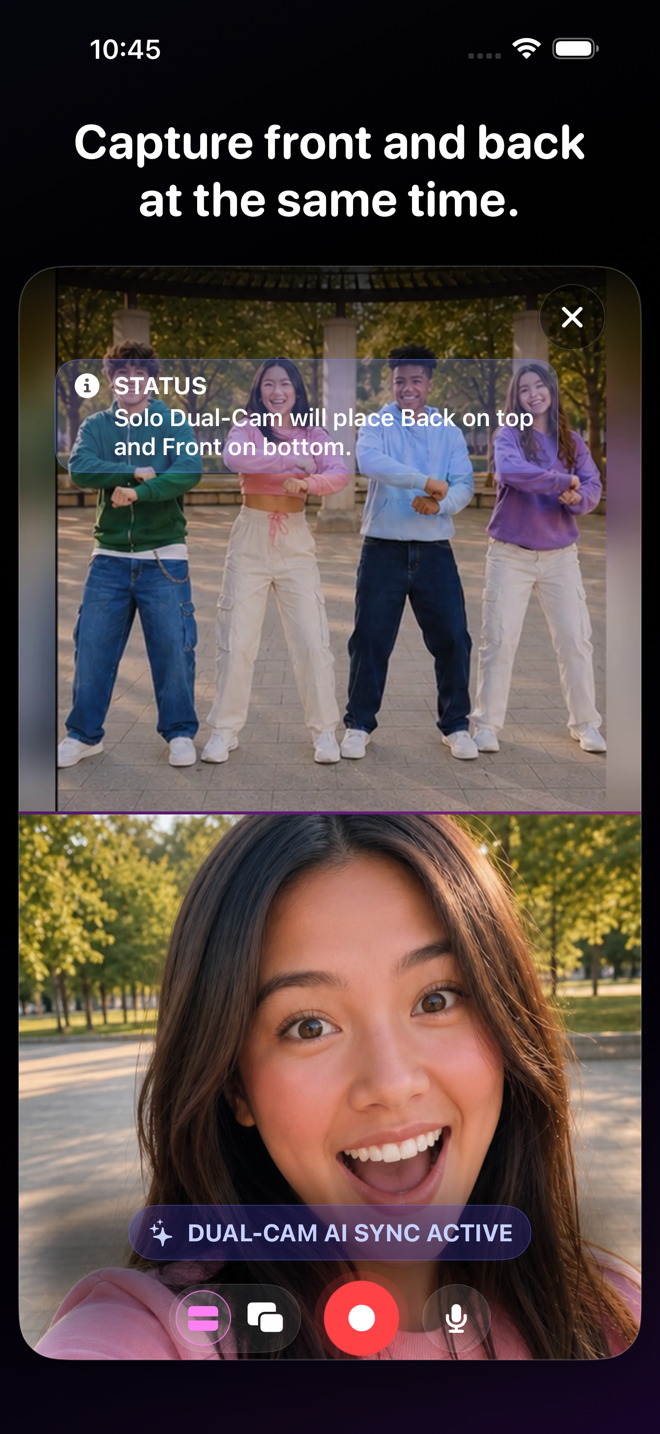
Solo Dual-Cam
Show the thing and your reaction in the same take. Great for demos, tutorials, reviews, coaching, and those “you have to see this” moments.
Explore the mode 02↗
Bring everybody’s angle
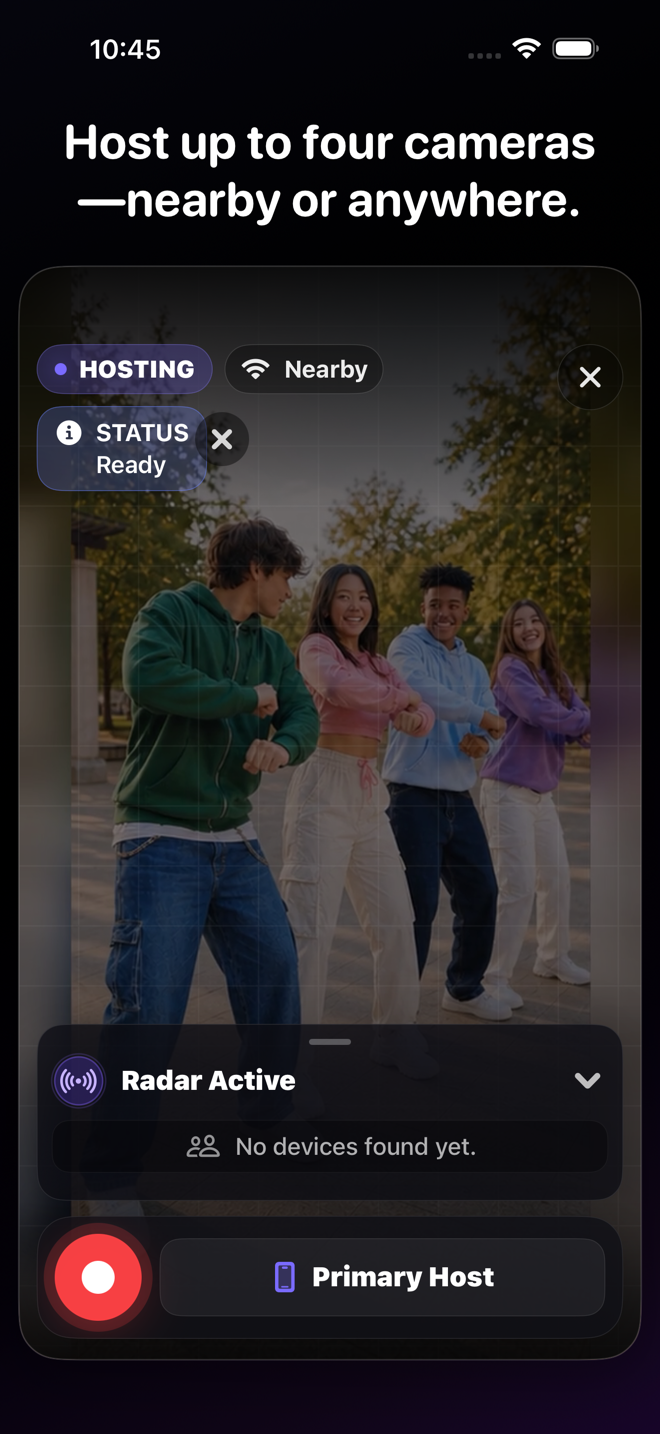
Squad VidFuses
Turn a few iPhones into one synced shoot for collabs, interviews, parties, games, performances, and whatever your group gets into.
Explore the mode 03↗
Watch it. Add your take.
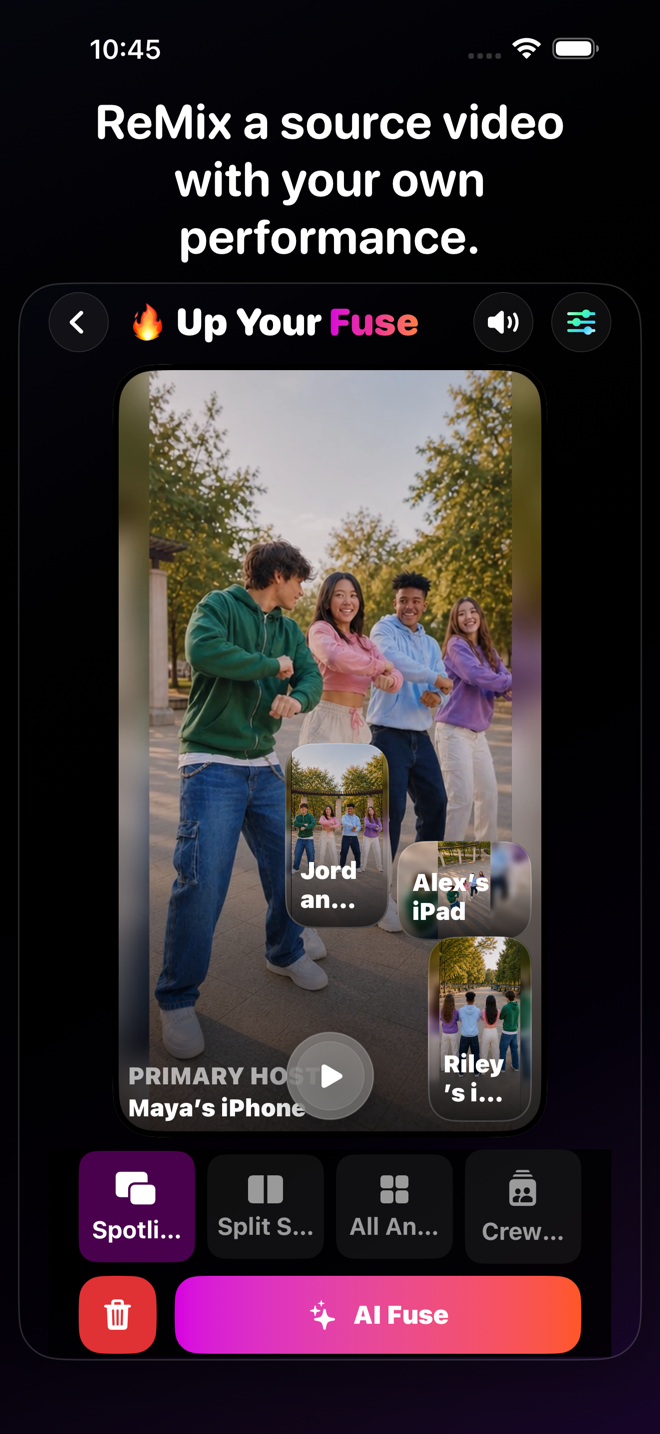
VidFuse Remix
React, break it down, explain it, perform with it, or lip-sync it—using video or audio you have permission to use.
Explore the mode 04↗
Let AI start the cut
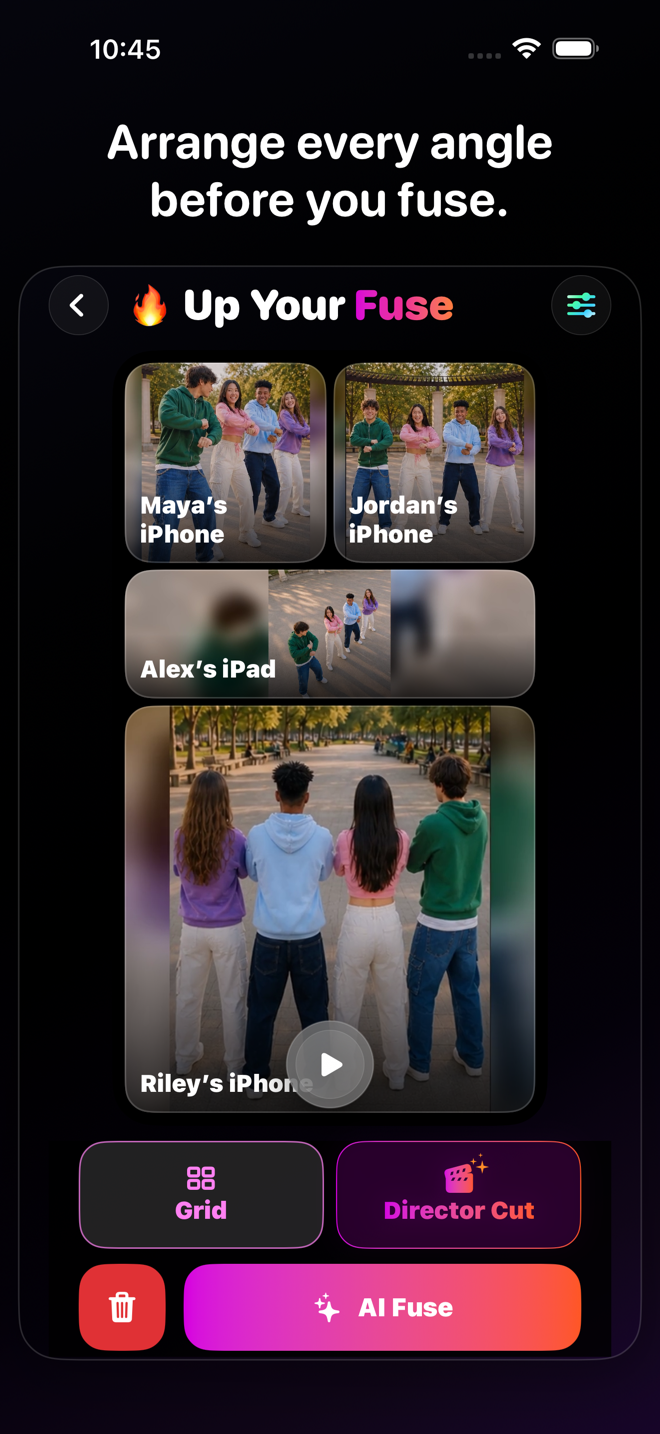
AI Director’s Cut
Get a first pass across your camera angles, then tap through and change anything that is not quite your vibe.
Explore the mode 
VidFuse for iPhone
More angles. Less editing. Way more fun.
Start free, pull in your friends, and turn one moment into something worth posting. When you want more, take the paid creator tools for a seven-day spin.
Eligible new Enthusiast or Pro subscriptions can try paid creator tools free for 7 days.
Which mode fits the moment?
Solo Dual-CamSquad VidFusesVidFuse RemixAI Director’s Cut
Best for Solo Dual-CamOne creator, two viewsSquad VidFusesGroups and multiple perspectivesVidFuse RemixResponding to existing video or audioAI Director’s CutFaster multi-camera editing
Starting point Solo Dual-CamFront + back camerasSquad VidFusesA hosted camera sessionVidFuse RemixReference video or audioAI Director’s CutA synchronized multi-camera take
Camera choice Solo Dual-CamChoose top view or PiP cameraSquad VidFusesReview and arrange available anglesVidFuse RemixChoose source-focused layoutsAI Director’s CutAI suggests cuts; you can override scenes
Connection Solo Dual-CamOne compatible iPhoneSquad VidFusesNearby or paid AnywhereVidFuse RemixSolo or invited participantsAI Director’s CutOn-device edit analysis
VIDFUSE / TOOLKIT
All the ways to finish it your way
Layouts
Stacked, side-by-side, Picture-in-Picture, and multi-camera grid treatments adapt to the source count and orientation. Solo also lets you swap which camera leads.
Text & Vibes
Add a headline, choose top, middle, or bottom placement, and apply visual vibes from clean to cinematic. Paid plans unlock size and color controls; Pro adds more fonts, angled placement, and border colors.
Review & camera selection
Watch synchronized angles, adjust timing and trim, reorder perspectives, choose the main view for Picture-in-Picture, or refine the AI Director’s Cut scene by scene.
Drafts & Vault
VidFuse automatically keeps editable work on the device once source clips are ready. Return to drafts, open finished exports, rename projects, restore recently deleted work for up to 30 days, or delete it permanently.
Nearby connections
Connect compatible devices for local sessions, synchronized control, preview, recording, and media transfer. Keep devices awake, close enough, and on a reliable local or peer-to-peer connection.
Anywhere connections
Paid hosts can invite cameras through account-backed links over internet or cellular connections. Guests sign in, accept the invitation, record, and return their synchronized clips through temporary cloud transfer.
Camera Minutes & Boosts
Enthusiast includes 300 monthly Camera Minutes and 20 GB transfer. Pro includes 1,800 minutes and 150 GB. Paid subscribers outside a trial can buy 10, 50, or 150 GB Cloud Boost Packs that last 30 days.
Watermark control
The VidFuse watermark starts enabled. Eligible paid users can choose to remove it; Free exports keep it on.
Export & sharing
Export at the quality your plan supports, save the result to Photos, or open the native iOS share sheet for Messages, AirDrop, social apps, and other installed destinations.
Nearby or Anywhere?
NearbyAnywhere
Where it works NearbyDevices together in reliable local rangeAnywhereInvited cameras can be farther apart
Connection NearbyLocal network or peer-to-peerAnywhereInternet, Wi‑Fi, or cellular
Account NearbyNot required for ordinary local creationAnywhereRequired for host and guests
Plan NearbyAvailable with Free, Enthusiast, and ProAnywherePaid host required; signed-in Free guests may join
Transfer NearbyDirect local transfer between devicesAnywhereTemporary cloud transfer using the host’s allowance
⌁
Anywhere and cloud transfers may use cellular data. Carrier data, roaming, overage, messaging, and internet charges may apply.
What changes with your plan?
FreeEnthusiastPro
Cameras Free2Enthusiast2Pro4
Recording limit Free10 minutesEnthusiastNo 10-minute Free limitProNo 10-minute Free limit
Top export quality Free720pEnthusiast1080pPro4K
Connections FreeNearbyEnthusiastNearby + AnywhereProNearby + Anywhere
AI Director’s Cut Free—Enthusiast—ProIncluded
Text & Vibes FreeBasic headline + vibesEnthusiastSize + color controlsProAdvanced fonts, angles + borders
Watermark FreeEnabledEnthusiastOptional removalProOptional removal
Monthly Camera Minutes Free—Enthusiast300Pro1,800
VIDFUSE / PLANS
Start Free. Move up when you want more.
Start free and make something. Go Enthusiast when you want Anywhere shoots and sharper exports. Go Pro for four cameras, 4K, and an AI-assisted first cut.
Compare plans